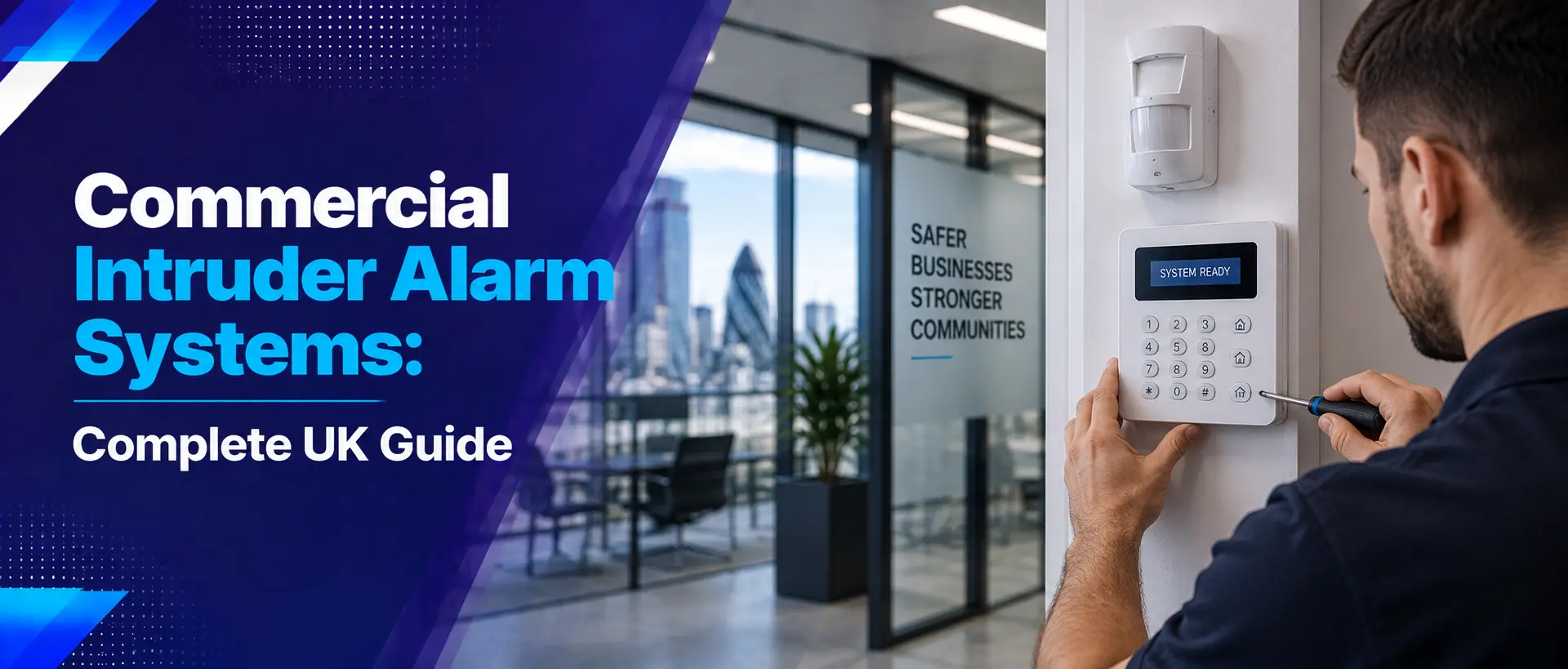
A commercial intruder alarm system is an important layer of protection for businesses of all sizes. From offices and retail stores to warehouses, industrial buildings and construction sites, a properly designed alarm system can help detect unauthorised access and alert the appropriate people when an incident occurs.
Modern business alarm systems can include door and window contacts, motion detectors, control panels, external sounders, remote communications and other security devices. They can also be integrated with CCTV and access control to create a more complete commercial security solution.
In this guide, we explain how commercial intruder alarms work, the main components involved, different alarm options, monitoring, maintenance, CCTV integration, costs and what businesses should consider before choosing an alarm system.
What Are Commercial Intruder Alarm Systems?
Commercial intruder alarm systems are electronic security systems designed to detect unauthorised entry or activity within business premises.
Depending on the system, sensors can monitor doors, windows, internal spaces and other protected areas. When a configured event occurs, the alarm system can activate an audible or visual warning and may send an alert through an appropriate communication method.
Commercial alarms are generally designed around the specific risks and operating patterns of a business. A small office may need a relatively straightforward system, while a warehouse or industrial site may require multiple zones and protection across several buildings or access points.
Why Do Businesses Need Intruder Alarms?
CCTV can provide valuable visual information, but a business should not rely on cameras alone. An intruder alarm provides a different type of protection by actively detecting configured security events.
This can be particularly important when premises are unattended.
Commercial alarms can help businesses:
- Detect unauthorised entry
- Protect buildings outside normal working hours
- Support a layered security strategy
- Alert authorised personnel to security events
- Protect restricted or high-value areas
- Complement CCTV surveillance
- Provide different security zones
- Reduce reliance on physical keys alone
The alarm should form part of a wider security plan rather than being treated as a standalone solution.
Our Commercial Security Systems guide explains how alarms can work alongside CCTV and access control.
How Does a Commercial Intruder Alarm Work?
A typical commercial alarm system consists of sensors connected to a central control panel. The system is configured according to the areas that need protection.
When the system is armed, selected sensors monitor their assigned areas. If a sensor detects an event that matches the configured alarm conditions, the control panel processes the signal and activates the appropriate response.
Depending on the system, this may include:
- Internal sounders
- External sounders
- Visual indicators
- Remote notifications
- Monitoring centre communication
- Integration with other security systems
The exact operation depends on the alarm design, equipment and configuration.
Main Components of a Commercial Intruder Alarm
Commercial alarm systems can contain a number of different components. The exact combination depends on the building and the security risks identified during the design process.
| Component | Main Function |
|---|---|
| Control Panel | Manages signals from connected devices |
| Door Contacts | Detect opening of protected doors |
| Window Contacts | Monitor protected windows |
| Motion Detectors | Detect movement within defined areas |
| Glass-Break Detection | Can detect certain glass-breaking events where suitable |
| Keypad / User Interface | Allows authorised users to operate the system |
| Sounders | Provide audible warning |
| Communicator | Can transmit alarm information remotely |
| Backup Battery | Provides resilience if mains power is interrupted |
Door and Window Sensors
Door and window contacts are among the most common components in an intruder alarm.
They can be installed on selected access points and configured to trigger an alarm condition if the protected opening is breached while the system is armed.
Businesses may consider protection for:
- Main entrances
- Rear doors
- Staff entrances
- Emergency exits
- Ground-floor windows
- Warehouse doors
- Loading doors
- Other vulnerable access points
Not every door or window necessarily requires the same type of protection. A professional security assessment can help identify the most appropriate locations.
Motion Detectors
Motion detectors can provide internal protection by detecting movement within defined areas.
They are commonly considered for:
- Office areas
- Corridors
- Warehouses
- Storage rooms
- Reception areas
- Restricted areas
- Commercial units
Correct positioning is important. The detector needs to be installed according to its intended coverage and the environment in which it operates.
Poor positioning or an unsuitable detector can contribute to false alarms, so professional installation and configuration are important.
Glass-Break Detection
Businesses with large glazed entrances, shopfronts or vulnerable windows may consider glass-break detection as part of their security strategy.
Depending on the technology, these devices are designed to respond to characteristics associated with glass breaking.
They should be selected and positioned according to the environment and the specific type of glass and risk involved.
Alarm Control Panels
The control panel is effectively the central part of the alarm system. It receives information from connected devices and manages the configured alarm functions.
Modern commercial control panels can support multiple zones, users and connected devices, depending on the system.
For larger premises, zoning can allow different areas to be protected or managed according to business operating requirements.
Alarm Zones: What Are They?
Alarm zones divide a security system into logical areas or groups. This can be useful for businesses with multiple rooms, departments, buildings or operating schedules.
For example, an office could have separate zones for:
- Reception
- General office areas
- Management areas
- Server room
- Storage
- External access points
A warehouse may use zones for offices, storage areas, loading bays and other parts of the property.
The exact configuration should reflect how the business operates and which areas require protection.
Keypads, Fobs and User Access
Commercial alarm systems need a practical way for authorised users to arm and disarm the system.
Depending on the equipment, this may involve:
- PIN codes
- Key fobs
- Cards
- Mobile-based credentials
- Other authorised user interfaces
Businesses should maintain good user management practices. When an employee leaves the organisation, their alarm access should be reviewed and removed where appropriate.
Shared credentials should also be avoided where the system supports individual user accounts.
Internal and External Alarm Sounders
Sounders provide an audible indication when an alarm is triggered.
External sounders can also make the activation visible to people outside the building, while internal sounders can provide an immediate warning within the premises.
Sounders should be positioned and configured according to the system design and the environment.
Monitored vs Unmonitored Commercial Alarms
One of the important decisions when selecting a commercial alarm is whether the system should simply activate locally or whether alarm events should also be communicated to an external monitoring service or nominated recipients.
| Feature | Unmonitored Alarm | Monitored Alarm |
|---|---|---|
| Local Alarm | Yes | Yes, depending on system |
| Remote Communication | May be limited | Designed to communicate events remotely |
| External Monitoring | Not normally included | Can be connected to a monitoring service |
| Business Use | May suit lower-risk applications | Can suit premises requiring enhanced response arrangements |
The appropriate option depends on the business's risk profile, premises, insurance requirements and desired response arrangements.
Wireless vs Wired Commercial Alarm Systems
Commercial alarm systems can use wired, wireless or hybrid technologies.
| Consideration | Wired | Wireless |
|---|---|---|
| Installation | Requires physical cabling | Can reduce cabling requirements |
| Retrofit | May require more installation work | Can be useful where cabling is difficult |
| Permanent Buildings | Often suitable | Can also be suitable depending on design |
| Flexibility | Changes may require additional cabling | Can provide flexibility in some applications |
| Maintenance | Requires checks of wired components | Battery management is an important consideration |
There is no universal answer. The best solution depends on the building structure, installation requirements, security objectives and future plans.
Commercial Intruder Alarms for Offices
Offices may require protection for external doors, reception areas, corridors, storage rooms and sensitive areas such as server rooms.
A typical office alarm strategy may include:
- Door contacts on vulnerable entrances
- Motion detection in selected areas
- Separate protection for restricted rooms
- Individual user access
- Out-of-hours arming
- Remote alarm communication where required
Alarm coverage should be designed around the actual office layout rather than applying the same configuration to every workplace.
For broader office security recommendations, see our Office Security Checklist .
Commercial Intruder Alarms for Retail Stores
Retail premises can have multiple entrances, large shopfronts, stockrooms, cash-handling areas and customer-facing spaces.
Alarm systems may protect the building outside trading hours while selected zones can be configured around staff access and operational requirements.
Retail businesses should also consider how alarms work alongside CCTV and other loss-prevention measures.
Read our Retail Security Guide for a broader approach to retail security.
Commercial Intruder Alarms for Warehouses
Warehouses can present significant security challenges because they often contain valuable stock, equipment and materials across large areas.
An alarm system may protect:
- Warehouse entrances
- Loading doors
- Office areas
- Stockrooms
- Restricted storage
- Other vulnerable access points
Zoning can be particularly useful where different parts of the site operate at different times.
For additional warehouse security advice, see our Warehouse Security Best Practices .
Commercial Intruder Alarms for Construction Sites
Construction sites can be vulnerable to theft of tools, equipment, plant, fuel and materials, particularly when the site is unattended.
Alarm protection can form part of a temporary or evolving security system alongside CCTV, lighting, fencing and controlled access.
Because construction sites change throughout a project, the security system may also need to be reviewed as buildings, access points and equipment locations change.
Learn more in our Construction Site Security guide .
Integrating Intruder Alarms with CCTV
CCTV and intruder alarms can provide complementary layers of protection.
An alarm can identify a configured security event, while CCTV can provide visual information about what is happening in the relevant area.
For example:
A warehouse alarm detects movement in a protected area outside normal operating hours. The business or monitoring team can then review the relevant CCTV footage to help determine whether there is an actual security incident.
This can make security systems more useful than relying on an alarm or CCTV system independently.
Our guide to Commercial CCTV Camera Placement explains how camera positioning can support an integrated security strategy.
Remote Alarm Notifications
Modern commercial alarm systems can support remote communication, depending on the equipment and configuration.
This can allow authorised users or monitoring services to receive information about alarm events when they are away from the premises.
Remote functionality can be particularly useful for:
- Businesses operating outside normal office hours
- Premises that are frequently unattended
- Businesses with multiple locations
- Managers responsible for remote sites
- Properties requiring additional out-of-hours awareness
Remote access should be properly secured and user permissions should be reviewed regularly.
False Alarm Prevention
False alarms can become a significant operational problem if an alarm system is poorly designed, incorrectly configured or not maintained.
Common causes can include:
- Incorrect sensor positioning
- Unsuitable detection technology
- Environmental conditions
- Incorrect user operation
- Unmaintained equipment
- Low or failing batteries
- Changes to the building or internal layout
- Pets or other movement where relevant
Ways to reduce false alarms:
- Use an appropriate system design.
- Install sensors correctly.
- Train authorised users.
- Maintain the alarm system regularly.
- Investigate repeated alarm events.
- Review sensor locations after building changes.
Commercial Intruder Alarm Maintenance
Security equipment needs to remain operational when it is required. Regular maintenance can help identify faults before they become a security problem.
Important maintenance checks may include:
- Testing alarm zones
- Testing door and window contacts
- Checking motion detectors
- Checking batteries
- Testing sounders
- Checking communication equipment
- Reviewing alarm event history
- Checking user access
- Inspecting visible equipment for damage
Businesses should follow the maintenance recommendations appropriate to their specific system and operating environment.
For a detailed maintenance checklist, read: Intruder Alarm Maintenance Checklist for UK Businesses .
How Much Does a Commercial Intruder Alarm Cost?
Commercial alarm installation costs vary considerably because there is no standard system for every business.
Factors that can influence the overall cost include:
- Size of the premises
- Number of doors and windows
- Number of alarm zones
- Number and type of detectors
- Wired or wireless installation
- Building construction
- Communication requirements
- Monitoring requirements
- Integration with CCTV or access control
- Installation complexity
- Maintenance and ongoing support
A professional quotation should explain what equipment is included, what areas are protected, how the system operates and what ongoing services are available.
How to Choose a Commercial Alarm Installer
The installer has an important role in determining how effectively an alarm system performs.
Before choosing a commercial security company, consider:
- Experience with commercial premises
- Quality of proposed equipment
- Understanding of security risk assessment
- Installation experience
- Ability to integrate CCTV and access control
- Maintenance and servicing options
- Remote support
- System expansion options
- Clear documentation and quotation
- After-sales support
A good installer should explain why particular sensors, zones and alarm technologies are appropriate for your property rather than simply offering a standard package.
Common Commercial Alarm Installation Mistakes
1. Protecting only the front door
Rear entrances, loading doors, windows and other access points can also require protection.
2. Using unsuitable sensors
Different environments require different detection approaches. The wrong sensor can reduce effectiveness or increase false alarms.
3. Ignoring business operating hours
Alarm zones should work with the way employees actually use the premises.
4. Not training staff
Employees should understand how to operate the system and what to do if an alarm activates.
5. Forgetting backup power
Backup batteries and system resilience should be considered as part of the overall alarm design.
6. Not reviewing user permissions
Former employees or unnecessary users should not retain alarm access.
7. Failing to investigate repeated false alarms
Repeated false alarms may indicate an underlying installation, environmental or configuration problem.
When Should a Business Upgrade Its Intruder Alarm?
Businesses should periodically review their alarm systems, particularly when the premises or operations change.
Consider an upgrade or review if:
- The alarm system frequently develops faults
- False alarms are increasing
- The system is difficult to operate
- Important areas are not protected
- The business has expanded
- New entrances have been added
- The building layout has changed
- Remote notifications are required
- The system cannot integrate with newer security technology
- User management is outdated
An upgrade does not necessarily mean replacing every component. Depending on the existing equipment, individual parts may be upgraded or additional security layers may be integrated.
Commercial Intruder Alarm Checklist
| Security Check | Status |
|---|---|
| Main entrance protected | ☐ |
| Rear and staff entrances assessed | ☐ |
| Windows assessed | ☐ |
| Loading doors protected where required | ☐ |
| Motion detection reviewed | ☐ |
| High-value areas protected | ☐ |
| Alarm zones configured appropriately | ☐ |
| Authorised users reviewed | ☐ |
| Backup battery checked | ☐ |
| Sounders tested | ☐ |
| Remote communication tested where applicable | ☐ |
| False alarms investigated | ☐ |
| Regular maintenance scheduled | ☐ |
| CCTV integration considered | ☐ |
| System reviewed after building changes | ☐ |
How Intruder Alarms Fit Into a Complete Business Security Strategy
An alarm should be one part of a layered security strategy.
| Security Layer | Purpose |
|---|---|
| Physical Security | Doors, locks, gates and barriers |
| Access Control | Manage authorised access |
| CCTV | Monitor and record activity |
| Intruder Alarm | Detect configured security events |
| Security Lighting | Improve visibility and deterrence |
| Remote Monitoring | Support out-of-hours awareness and response |
Businesses can use a Business Security Risk Assessment to identify vulnerabilities before deciding which security technologies are required.
UK Business Security and Alarm Considerations
Businesses should consider their overall security requirements, insurance conditions, operational procedures and any relevant standards or requirements that apply to their particular premises and alarm arrangement.
Where an alarm system is integrated with other technologies such as CCTV or access control, businesses should also consider cybersecurity, user permissions and appropriate system management.
If CCTV is part of the wider security system and captures identifiable individuals, applicable UK data protection requirements should also be considered.
Requirements can vary depending on the business, premises, insurer and security arrangement, so businesses should obtain appropriate professional advice where specific compliance or insurance requirements apply.
Protect Your Business With the Right Alarm System
A commercial intruder alarm can provide an important layer of protection against unauthorised access, particularly when combined with CCTV, access control, physical security and appropriate operating procedures.
The most effective system is not necessarily the one with the largest number of sensors. It is the one designed around the actual risks of the premises, the way employees use the building and the areas that require protection.
From offices and retail stores to warehouses, construction sites and industrial premises, professional security planning can help ensure that your alarm system provides practical and reliable protection.
Need a Commercial Intruder Alarm?
Third Eye Security can help businesses assess their premises and identify the right combination of intruder alarms, CCTV, access control and other security technologies.
Whether you need a new alarm installation, an upgrade to an existing system or regular maintenance, speak to our team about your commercial security requirements.
Contact Third Eye SecurityMake Intruder Detection Part of a Layered Security Strategy
Intruder alarms provide an important detection layer for commercial premises. When combined with professionally positioned CCTV, controlled access, security lighting and good physical security, they can form a stronger overall business security strategy.
The right system starts with understanding the property and its risks. From there, businesses can choose the appropriate sensors, zones, communication options and integration features.
Don't wait until a break-in exposes a weakness in your security system. Review your premises, identify the risks and make sure your business has the right protection in place.