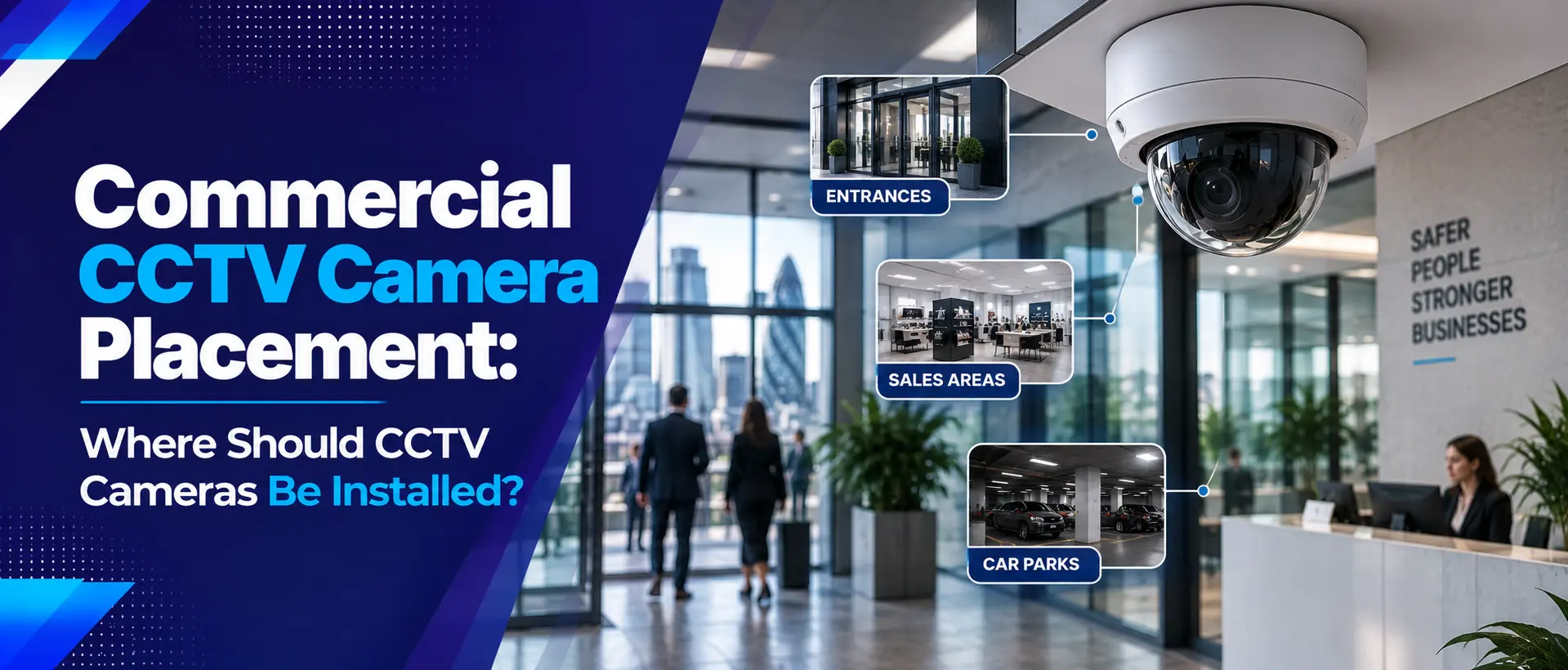
Installing CCTV cameras is only part of an effective business security system. Where you position each camera can be just as important as the camera itself. Poor positioning can create blind spots, reduce image quality and make it difficult to identify people, vehicles or incidents when footage is needed.
A professional CCTV installation should therefore begin with an assessment of the premises, security risks, entrances, valuable assets, lighting conditions and areas that require monitoring.
In this guide, we explain the best places to install commercial CCTV cameras, common positioning mistakes, how to reduce blind spots and what UK businesses should consider before installing or upgrading a CCTV system.
Why Does CCTV Camera Placement Matter?
A high-resolution CCTV camera cannot compensate for poor positioning. A camera facing the wrong direction, mounted too high or affected by glare may produce footage that is technically recorded but not particularly useful.
Good camera placement should provide the right combination of:
- Useful viewing angles
- Clear identification opportunities
- Coverage of important entrances and exits
- Protection of valuable assets
- Reduced blind spots
- Suitable night-time visibility
- Protection from tampering
- Appropriate coverage of external areas
What Areas Should Commercial CCTV Cover?
Every business is different, but most commercial CCTV surveys will consider a number of common locations.
| Area | Why CCTV May Be Useful |
|---|---|
| Main Entrance | Monitor people entering and leaving the premises |
| Rear or Staff Entrance | Monitor less visible access points |
| Reception | Monitor visitor activity and entrance areas |
| Car Park | Monitor vehicles, pedestrians and activity around the building |
| Loading Bay | Monitor deliveries, collections and vehicle movements |
| Stockroom | Help protect valuable stock and restricted areas |
| Warehouse | Monitor large areas and movement around stock |
| Perimeter | Detect and monitor activity around external boundaries |
| Restricted Areas | Monitor access to sensitive or high-value areas |
1. Main Entrances and Exits
The main entrance is one of the most important locations for commercial CCTV. It is often the first point where employees, customers, contractors and visitors enter the building.
A correctly positioned camera can help provide useful footage of people approaching and passing through the entrance.
Consider:
- Direction of movement
- Natural and artificial lighting
- Door position
- Potential glare from glass
- Camera height
- Whether faces or other identifying details need to be visible
Entrances can also benefit from additional coverage from a wider-angle camera positioned to monitor the surrounding approach area.
2. Rear and Staff Entrances
Businesses sometimes concentrate heavily on the front entrance while overlooking rear doors, staff entrances, fire exits and other less visible access points.
These locations should form part of the overall security assessment.
Depending on the premises, a camera may be positioned to monitor the door itself as well as the surrounding approach area.
CCTV can be particularly useful when combined with an access control system, allowing businesses to manage entry while maintaining visual security coverage.
3. Reception Areas
Reception areas are often busy environments with employees, customers and visitors moving through the space.
CCTV positioning should avoid unnecessary coverage while still providing appropriate security visibility.
Where visitor management is important, reception CCTV can complement a video door entry or access control system.
Camera positioning should also take account of monitors, reflective surfaces, windows and lighting that could affect image quality.
4. Car Parks and Vehicle Entrances
Car parks can be large areas with multiple movement paths, making camera placement particularly important.
CCTV may be positioned to cover:
- Vehicle entrances and exits
- Pedestrian routes
- Parking areas
- Areas around building entrances
- Delivery vehicle routes
- Higher-risk or poorly visible sections
If the business needs to capture useful vehicle information, camera selection and positioning should be planned specifically for that purpose rather than assuming a general overview camera will provide sufficient detail.
5. Loading Bays and Delivery Areas
Loading bays can involve valuable stock, delivery vehicles, contractors and frequent movement throughout the day.
Cameras can be positioned to monitor:
- Loading doors
- Vehicle movements
- Delivery areas
- Goods entering and leaving the building
- External storage
- Routes between loading bays and warehouses
Loading areas should also be assessed for changing lighting conditions, especially if vehicles or large doors can create strong contrasts between bright outdoor areas and darker internal spaces.
6. Warehouses and Stockrooms
Warehouses can be challenging because of their size, shelving, high ceilings and constantly changing layouts.
A common mistake is to install cameras high up simply because the ceiling provides an easy mounting location. However, excessive height can reduce useful detail.
Camera placement should consider:
- Racking configuration
- Aisles
- Forklift routes
- Loading areas
- Stock locations
- Emergency exits
- Staff-only areas
- Changes to the warehouse layout
For more warehouse-specific advice, read our Warehouse Security Best Practices .
7. Cash, Till and Payment Areas
Retail businesses and other organisations handling cash may require CCTV around payment or cash-handling areas.
The camera should be positioned to achieve the intended security purpose while avoiding unnecessary collection of information.
Depending on the environment, businesses may consider coverage of:
- Checkout areas
- Cash offices
- Cash handling points
- Secure storage areas
- Routes used to move cash or valuable goods
CCTV should be part of a broader retail security strategy rather than the only security measure.
Our Retail Security Guide covers CCTV, alarms, stockroom security and other measures for retail businesses.
8. Perimeter CCTV
For larger commercial sites, perimeter CCTV can provide an important outer layer of security.
Instead of waiting until someone reaches the building, perimeter cameras can help businesses monitor activity around boundaries, gates, yards and external storage areas.
Perimeter cameras may monitor:
- Fences and boundary lines
- Vehicle gates
- Pedestrian gates
- External storage
- Plant and machinery
- Service roads
- Dark or isolated areas
Perimeter CCTV works particularly well when combined with security lighting, physical barriers and intruder detection.
9. Restricted and High-Security Areas
Not every area of a commercial building needs the same level of CCTV coverage.
Sensitive locations may include:
- Server rooms
- Cash rooms
- Secure storage
- Pharmaceutical or controlled storage areas
- Plant rooms
- Management areas
- Research or specialist equipment rooms
In these areas, CCTV can complement access control by providing visual context around authorised and unauthorised activity.
How High Should Commercial CCTV Cameras Be Mounted?
There is no single mounting height that works for every camera or property.
Mounting height should balance several factors:
- Required field of view
- Identification requirements
- Risk of tampering
- Lighting conditions
- Building structure
- Camera specifications
- Accessibility for maintenance
Mounting a camera too low may increase the risk of damage or tampering. Mounting it too high may reduce useful facial or identifying detail.
The correct height should therefore be determined during a professional site survey rather than using a fixed measurement for every installation.
Understanding CCTV Viewing Angles
The camera's viewing angle determines how much of an area it can see and how much useful detail is available.
A wide-angle camera can cover a larger area, but objects and people may appear smaller within the image. A narrower field of view can provide greater detail over a specific area.
| Camera View | Potential Use |
|---|---|
| Wide View | Large areas such as warehouses, yards and car parks |
| Medium View | Entrances, corridors and general business areas |
| Narrow View | Specific doors, access points or areas requiring more detail |
A professional system may use different camera types across the same premises rather than using one model everywhere.
How to Avoid CCTV Blind Spots
A blind spot is an area that is not adequately visible within the CCTV system's intended coverage.
Blind spots can occur because of:
- Building corners
- Large vehicles
- Warehouse shelving
- Structural columns
- Doors opening into camera views
- Overgrown vegetation
- Poor camera angles
- Insufficient camera coverage
- Changes to the building or site
Practical ways to reduce blind spots:
- Complete a site survey before installation.
- Map important entrances, assets and movement routes.
- Identify areas that require detailed identification rather than general observation.
- Consider overlapping views where appropriate.
- Test camera views at different times of day.
- Review coverage after installation.
- Reassess the system when the premises change.
CCTV Placement for Day and Night Conditions
A camera that performs well during daylight may produce poor footage at night.
This is why lighting should be considered during CCTV design.
Problems can occur when cameras face:
- Bright floodlights
- Vehicle headlights
- Sunrise or sunset
- Reflective windows
- Very dark backgrounds
- Strong indoor-to-outdoor lighting differences
Modern cameras may use technologies such as infrared or low-light imaging, but the correct solution depends on the environment.
AI CCTV Camera Placement
AI-powered CCTV can provide intelligent video analytics, but the effectiveness of these features depends heavily on camera positioning.
For example, if a business wants to use analytics to detect people crossing a defined boundary, the camera needs an appropriate view of that boundary.
Similarly, analytics designed to detect people or vehicles may perform poorly if the camera is obstructed, positioned incorrectly or affected by poor lighting.
Businesses considering intelligent surveillance should therefore define the desired detection first and position the camera accordingly.
Learn more in our AI-Powered CCTV Cameras guide .
Indoor vs Outdoor CCTV Camera Placement
Indoor and outdoor cameras face different environmental and security challenges.
| Consideration | Indoor CCTV | Outdoor CCTV |
|---|---|---|
| Weather | Usually less exposed | Requires suitable weather protection |
| Lighting | Artificial lighting can vary significantly | Day/night conditions need consideration |
| Tampering | Depends on location | May require additional protection |
| Coverage | Often focused on rooms and internal routes | May cover yards, entrances and perimeters |
| Maintenance | Generally easier to access | May require checks for dirt, weather and vegetation |
Camera selection should always match the environment in which the device will be installed.
CCTV Placement and UK GDPR
CCTV can capture identifiable individuals, so businesses need to consider applicable UK data protection requirements when designing surveillance systems.
Camera placement should therefore be based on a legitimate and clearly defined security purpose rather than simply monitoring as much of the property as possible.
Businesses should consider:
- Why each camera is required
- What area it needs to monitor
- Whether the coverage is proportionate
- How individuals will be informed
- Appropriate CCTV signage
- How recordings will be stored
- Who can access footage
- How long recordings should be retained
- How footage will be provided when legally required
Businesses should also take particular care with areas where people would reasonably expect a high level of privacy. Camera placement should be designed to avoid unnecessary intrusion.
The Information Commissioner's Office provides detailed guidance for organisations using CCTV and other video surveillance. Businesses should check the latest guidance for their particular circumstances.
This article provides general information and should not be treated as legal advice.
How CCTV Camera Placement Differs by Business Type
Offices
Offices may prioritise entrances, reception, car parks, restricted areas and building access points. CCTV should be balanced carefully with employee and visitor privacy.
Retail Stores
Retail businesses may require coverage around entrances, sales areas, tills, stockrooms and staff-only areas. Camera positioning should support both security and loss-prevention objectives.
Warehouses
Warehouses often need a combination of internal aisle coverage, loading bay cameras, perimeter CCTV and vehicle monitoring.
Construction Sites
Construction sites may require temporary or mobile CCTV positioned around site entrances, equipment, material storage areas and vulnerable perimeter sections.
Industrial Premises
Industrial sites can have large yards, multiple buildings, vehicle routes and restricted areas. CCTV design should consider both internal and external security.
For construction-specific requirements, see our Construction Site Security guide .
CCTV Camera Placement and Access Control
CCTV and access control can complement each other particularly well.
Access control determines who is permitted to enter a particular door or area, while CCTV can provide visual information about activity around that location.
For example, a business may install access control on a server room while positioning CCTV outside the area to provide additional security visibility.
This layered approach can be particularly useful for premises containing valuable equipment, sensitive information or restricted areas.
Common CCTV Camera Placement Mistakes
1. Installing cameras too high
Excessive mounting height can provide a wide overview but reduce useful identifying detail.
2. Pointing cameras directly at bright light
Strong sunlight, floodlights or vehicle headlights can affect image quality.
3. Covering only the main entrance
Rear doors, side entrances, loading bays and perimeter areas can be overlooked.
4. Using one camera for too large an area
A single wide-angle camera may show an entire area but not provide enough detail for important events.
5. Ignoring changing environments
New shelving, extensions, vehicles, signs, trees or construction work can change camera visibility.
6. Forgetting night-time conditions
Daylight footage does not guarantee useful footage after dark.
7. Choosing cameras before identifying the security objective
Camera selection should follow the security requirement, not the other way around.
Professional CCTV Site Survey: What Does It Involve?
A professional CCTV survey should look beyond the number of cameras required.
A typical assessment may consider:
- Property layout
- Entrances and exits
- Perimeter vulnerabilities
- Valuable assets
- Staff and visitor movement
- Lighting conditions
- Existing security equipment
- Network infrastructure
- Recording requirements
- Remote viewing requirements
- Privacy and data protection considerations
- Future expansion
The outcome should be a CCTV design that explains what each camera is intended to achieve and how the system fits into the wider security strategy.
If you are considering a new installation, our Commercial CCTV Installation Guide provides additional information.
Commercial CCTV Placement Checklist
| Check | Completed? |
|---|---|
| Main entrances covered | ☐ |
| Rear and staff entrances assessed | ☐ |
| Car park and vehicle access reviewed | ☐ |
| Loading bays assessed | ☐ |
| High-value areas identified | ☐ |
| Stockrooms and warehouses reviewed | ☐ |
| Perimeter vulnerabilities checked | ☐ |
| Night-time lighting assessed | ☐ |
| Potential blind spots identified | ☐ |
| Camera angles tested | ☐ |
| Privacy considerations reviewed | ☐ |
| Recording and storage requirements checked | ☐ |
| Remote access secured | ☐ |
| Future expansion considered | ☐ |
Should You Upgrade Your CCTV Camera Placement?
An existing CCTV system may still be useful but require changes as the business develops.
Consider reviewing your camera placement if:
- Your business has expanded
- New entrances have been added
- Warehouse shelving has changed
- There are new blind spots
- Lighting has changed
- Security incidents have occurred
- Existing footage is difficult to use
- Camera image quality is poor
- You cannot monitor important areas remotely
- Your current cameras do not support newer security requirements
Sometimes repositioning or adding a small number of cameras can make a significant difference without completely replacing the existing system.
How CCTV Fits Into a Complete Commercial Security System
CCTV works best as part of a wider security strategy.
| Security Layer | Role |
|---|---|
| Physical Security | Doors, locks, gates and barriers |
| Access Control | Manage authorised entry |
| CCTV | Monitor and record activity |
| Intruder Alarm | Detect unauthorised activity |
| Security Lighting | Improve visibility and deterrence |
| Remote Monitoring | Support awareness away from the premises |
Our guide to Commercial Security Systems explains how CCTV, alarms and access control can work together.
Get Your Commercial CCTV Placement Right
Effective CCTV starts with good planning. The objective is not simply to install cameras around a building, but to create useful coverage around the areas, assets and activities that matter most.
Entrances, loading bays, car parks, stockrooms, warehouses, restricted areas and perimeters may all require different approaches. Lighting, camera height, viewing angles, blind spots, privacy and future changes should also be considered before installation.
A professional CCTV survey can help identify where cameras are needed and which type of camera is appropriate for each location.
Need Help With Commercial CCTV Installation?
Third Eye Security can help businesses assess their premises, identify CCTV coverage requirements and develop a security solution suited to their property and operational needs.
Whether you need a new CCTV system, additional cameras or an assessment of your existing coverage, speak to our team about your requirements.
Contact Third Eye SecurityBetter CCTV Starts With Better Placement
The effectiveness of a commercial CCTV system depends on much more than camera resolution. Positioning, lighting, viewing angles, coverage, storage, maintenance and privacy all contribute to the overall result.
By starting with a security assessment and designing camera locations around genuine business risks, organisations can create CCTV coverage that is more useful, practical and easier to manage.
Don't just install cameras. Design your CCTV system around your security needs.